The Role of Certificate Authorities in Internet Trust
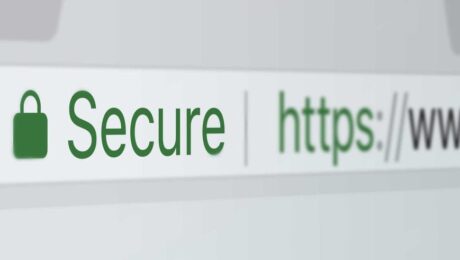
Every time you open your browser and visit a website, something extraordinary happens in the background. Before you even see the first pixel of a webpage load, your browser has already had a silent conversation with that website’s server, verified its identity, and decided whether or not it is safe to proceed. This entire process happens in milliseconds, and most people never think about it. But without it, the internet as we know it simply could not function safely.
At the heart of this invisible system is an organization type that most internet users have never heard of, yet interact with dozens of times every single day. That organization is called a Certificate Authority, and it plays one of the most important roles in keeping the internet trustworthy, secure, and functional for billions of people around the world.
(more…)- Published in Tips & Tricks
How SSL Handshakes Work (Without the Confusing Jargon)
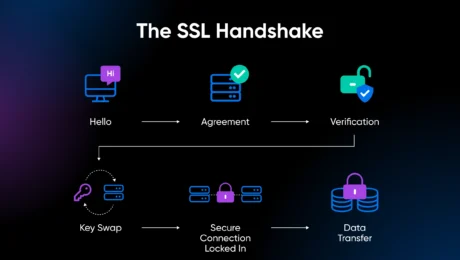
Every time you visit a website that starts with “https,” something remarkable happens in the background before you even see the first pixel of that page load. Your browser and the website’s server have a very brief but very important conversation. They introduce themselves, verify each other’s trustworthiness, agree on how they are going to communicate securely, and then shake hands on the deal. All of this happens in a fraction of a second, completely invisible to you.
That process is called an SSL handshake, and it is the foundation of secure communication on the internet. It is the reason your credit card details do not get stolen when you shop online, the reason your login credentials stay private, and the reason you can trust that the website you are visiting is actually who it claims to be.
(more…)- Published in Tips & Tricks
How to Fix “Not Secure” Website Warnings Once and for All
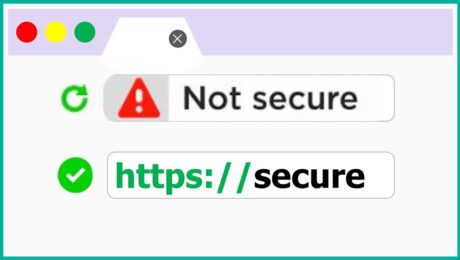
You worked hard to build your website. You spent time choosing the right design, writing your content, setting up your pages, and making everything look professional. Then one day, a visitor messages you to say that your website is showing a “Not Secure” warning in their browser. Or maybe you noticed it yourself, a small but alarming label sitting right next to your website address at the top of the screen.
That little warning carries a lot of weight. For most visitors, seeing “Not Secure” next to a website address is enough to make them close the tab immediately. It signals danger, distrust, and unprofessionalism, even if your website is perfectly safe and well-intentioned. And in today’s online environment, where customers are more aware of digital security than ever before, a “Not Secure” warning is not something you can afford to ignore or put off fixing.
(more…)- Published in Tips & Tricks