
If you have ever looked into keyword research and stumbled across tools with monthly subscription fees that cost more than your hosting plan, you are not alone. Many beginners and small business owners assume that effective keyword research is locked behind expensive software, and that without a premium subscription, they simply cannot compete in search results. That assumption is completely wrong.
The truth is that some of the most effective keyword research strategies available today are either completely free or require nothing more than tools you already have access to. Professional SEO experts use these same methods every single day, and many of them will tell you that free research often uncovers better opportunities than paid tools because it focuses on real user behavior rather than algorithmic estimates.
This guide is going to walk you through a complete keyword research process using only free and accessible tools. By the end, you will know how to find keywords that real people are searching for, understand which ones you can realistically rank for, and build a content strategy that attracts consistent organic traffic to your website without spending a single dollar on software.
Understanding What Keyword Research Actually Is
Before diving into the how, it helps to be crystal clear on the what. Keyword research is the process of discovering the words and phrases that people type into search engines like Google when they are looking for information, products, or services related to your topic or business.
The goal of keyword research is not just to find words that are popular. It is to find the right words. Specifically, you are looking for keywords that have a meaningful number of people searching for them, that are relevant to what your website offers, and that you have a realistic chance of ranking for given your website’s current authority and age.
Every piece of content you publish on your website should be built around a specific keyword or group of related keywords. When you write content without any keyword research behind it, you are essentially guessing what your audience is searching for. Sometimes you get lucky, but most of the time you end up writing content that nobody finds because nobody searched for it in the way you wrote it.
Good keyword research removes that guesswork entirely and replaces it with data-driven decisions that give your content the best possible chance of being discovered.
Start with Google Search Itself
The most powerful keyword research tool in the world is sitting right in front of you, and it is completely free. Google Search gives you direct access to real search behavior through several built-in features that most people scroll past without a second thought.

The first feature to use is Google Autocomplete. Start typing a keyword related to your topic into the Google search bar and watch what happens. Before you even finish typing, Google starts suggesting complete search queries based on what real users have searched for most frequently. These autocomplete suggestions are pure gold for keyword research because they show you exactly how real people phrase their searches in natural language.
For example, if you type “web hosting for” into the search bar, Google might suggest phrases like “web hosting for small business,” “web hosting for beginners,” “web hosting for ecommerce,” and “web hosting for WordPress.” Each of those suggestions is a keyword that real people are actively searching for, and each one represents a potential blog post or content piece for your website.
The second feature to pay close attention to is the People Also Ask box. This is the expandable section that appears in the middle of most Google search results pages, showing a list of questions related to your search. These questions are incredibly valuable because they show you what additional information people want when they search for your main topic. Each question in the People Also Ask box is essentially a long-tail keyword opportunity waiting to be turned into a blog post or FAQ section.
The third feature is Related Searches, which appears at the very bottom of the search results page. These are additional keyword ideas that Google considers closely connected to your original search. Running through a few rounds of related searches, clicking on the most relevant ones, and noting down the new related searches that appear can quickly generate a long list of keyword ideas in just a few minutes.
Use Google Keyword Planner for Free Search Volume Data
Google Keyword Planner is a free tool built into Google Ads that was originally designed to help advertisers find keywords for their paid campaigns. However, it is equally useful for organic keyword research and provides real search volume data directly from Google itself.
To access Google Keyword Planner, you need a free Google Ads account. You do not need to run any paid ads or enter any payment information to use the keyword research features. Simply create the account, skip the campaign setup steps, and navigate to the Keyword Planner tool in the Tools menu.
Once inside, use the “Discover new keywords” feature by entering a topic, a keyword, or even your website’s URL. Google Keyword Planner will return a list of related keywords along with their average monthly search volumes, their level of competition among advertisers, and suggested bid ranges for paid advertising.
For organic SEO purposes, focus on the monthly search volume and the competition level. High search volume means more people are searching for that term. Low competition means fewer websites are aggressively targeting it, which gives you a better chance of ranking. Keywords that combine decent search volume with lower competition are often called low-hanging fruit, and they represent your best opportunities for attracting traffic as a newer or smaller website.
One thing to be aware of is that Google Keyword Planner sometimes shows search volumes as ranges rather than exact numbers unless you have an active ad campaign running. Even so, the range data is useful enough to identify which keywords are significantly more popular than others and to prioritize your content planning accordingly.
Explore Keywords with Google Search Console
If your website is already live and receiving some traffic, Google Search Console is one of the most underused and underappreciated free keyword research tools available. It shows you the exact keywords that your website is already appearing in search results for, along with data on impressions, clicks, and your average position in the search rankings.
Log into Google Search Console and navigate to the Performance Report. This report shows you a list of search queries that triggered your website to appear in Google’s results. For each query, you can see how many times your site was shown, how many times it was clicked, your average click-through rate (CTR), and your average position in the search results.
The most valuable keywords to pay attention to in this report are the ones where your website is ranking between positions 5 and 20. These are keywords where you are already appearing on the first or second page of Google results, but not quite at the top. With some focused content improvement and on-page optimization, these keywords can often be pushed into the top three positions, which is where the majority of clicks happen. This strategy is sometimes called optimizing for quick wins because you are improving rankings for keywords where you already have some momentum rather than starting from scratch.
Google Search Console also shows you which pages on your website are driving the most search traffic, which can inspire ideas for related keywords and content topics that your audience is clearly interested in.
Use AnswerThePublic for Question-Based Keywords
AnswerThePublic is a free keyword research tool that visualizes search questions and phrases around any topic you enter. It works by pulling data from Google and Bing’s autocomplete systems and organizing the results into categories based on question words like who, what, where, when, why, and how.
When you type a keyword into AnswerThePublic, it generates a visual map or a downloadable list of dozens or even hundreds of questions and phrases that people are searching for in relation to that topic. For content creators and bloggers, this is an incredibly useful way to find blog post ideas, FAQ topics, and long-tail keyword opportunities that you might never have thought of on your own.
For example, typing “keyword research” into AnswerThePublic might return questions like “how to do keyword research for a new website,” “what is keyword research in SEO,” “why is keyword research important,” and “when should you do keyword research.” Each of those questions is a potential blog post topic with a built-in keyword that matches exactly how real users are phrasing their searches.
The free version of AnswerThePublic limits you to a certain number of searches per day, but for most bloggers and small business owners, the free allowance is more than enough to generate a full content calendar’s worth of keyword ideas in a single session.
Mine Reddit and Online Communities for Real Language
One of the most overlooked sources of keyword research is the language that real people use when they talk about your topic online. Reddit, Quora, Facebook Groups, and niche online forums are treasure troves of real user language that can reveal keyword opportunities that no tool will ever show you.
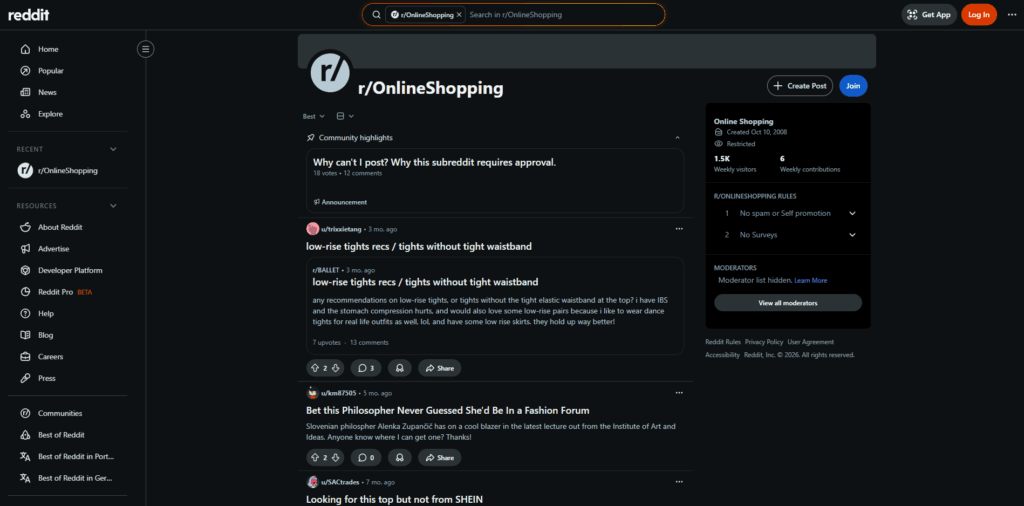
The idea here is simple. When people go to Reddit or Quora with a question, they type it exactly the way it comes naturally to them. They are not thinking about SEO or crafting formal sentences. They are just asking what they want to know in their own words. Those questions and the language used in the top answers often reveal conversational keywords and long-tail search phrases that are being searched on Google too, but are not showing up in traditional keyword tools because they are too specific or too new.
Go to Reddit and search for your topic. Look at the titles of popular posts in relevant communities. What questions are people asking? What problems are they describing? What language are they using to describe those problems? Write all of it down.
Do the same on Quora. Search for your topic and look at the most popular questions. These questions are popular precisely because many people have the same question and are searching for an answer. A blog post that directly answers one of those popular Quora questions has an excellent chance of ranking for the long-tail keywords contained within that question.
This method is particularly powerful for finding pain point keywords, which are search terms that reflect a specific frustration or problem that your target audience is experiencing. Content built around pain point keywords tends to perform extremely well because it addresses a real and urgent need.
Analyze Your Competitors’ Content
Your competitors have already done a significant amount of keyword research, and their content is sitting right there in public view for you to learn from. Studying what keywords your competitors are targeting can save you enormous amounts of time and point you directly toward keyword opportunities that are already proven to attract traffic in your niche.
Start by identifying three to five websites that are ranking well for topics related to yours. These do not need to be direct business competitors. They just need to be websites that are covering similar content. Visit their blog or content section and look at what topics they are writing about. Pay attention to the titles of their most popular or most shared posts.
Look at the exact title tags and meta descriptions they use, as these usually contain the primary keywords they are targeting. Notice how they structure their headings throughout an article, because headings often contain secondary keywords and related terms that support the main keyword.
You can also use the free version of tools like Ubersuggest or Semrush’s free tier to look up a competitor’s domain and see which keywords are driving traffic to their website. Even with limited free access, these tools can show you a handful of their top-performing keywords that you can then validate and build your own content around.
The goal is not to copy your competitors but to understand what is already working in your space so that you can create content that covers similar topics with greater depth, better structure, and more value for the reader.
Understand Search Intent Before Targeting Any Keyword
Finding a keyword is only half the job. The other half is understanding search intent, which refers to the reason behind why someone is searching for that particular term. Getting search intent right is one of the most important factors in whether your content actually ranks and satisfies the people who land on it.
There are four main types of search intent. Informational intent means the person is looking to learn something, such as “how does SSL work” or “what is cloud hosting.” Navigational intent means the person is trying to find a specific website or brand, such as “Bluehost login” or “Google Search Console.” Commercial intent means the person is researching before making a purchase decision, such as “best VPS hosting 2025” or “SiteGround vs Bluehost comparison.” Transactional intent means the person is ready to buy or take action right now, such as “buy dedicated server” or “sign up for web hosting.”
Before you commit to targeting any keyword, search for it in Google and look at the type of content that is already ranking on the first page. If the first page is full of detailed informational guides, Google has determined that this keyword has informational intent. If you try to rank a product page for that keyword, you will struggle because your content does not match what Google believes the searcher is looking for.
Always align the format and purpose of your content with the dominant intent behind your target keyword. When your content matches search intent perfectly, you dramatically improve your chances of ranking and of keeping visitors on your page long enough to convert them into customers or subscribers.
Build a Simple Keyword List and Prioritize It
Once you have gone through all of the research methods above, you will likely have a long list of keyword ideas. The next step is to organize that list and prioritize it so that you know exactly what to write first.
Create a simple spreadsheet with columns for the keyword, the estimated monthly search volume, the likely search intent, your assessment of the competition level, and the type of content you plan to create for it. This does not need to be complicated. A basic Google Sheets document works perfectly fine.
When deciding which keywords to target first, prioritize keywords that have a clear match with your existing content or expertise, a realistic competition level for a website at your current stage, and a search intent that aligns with your business goals. For a newer website, it is almost always better to start with long-tail keywords, which are longer and more specific phrases with lower search volumes but also significantly less competition. Ranking for ten long-tail keywords will bring in far more traffic than failing to rank for one highly competitive short keyword.
As your website grows and your content library expands, you can gradually work your way toward more competitive keywords. But building a strong foundation with targeted, well-researched long-tail content is the strategy that consistently produces the best results for websites that are just starting out.
Consistency Is Your Real Competitive Advantage
Here is the honest truth about keyword research without expensive tools: the tools matter far less than most people think. What matters most is consistency, curiosity, and a genuine commitment to creating content that answers real questions from real people.
The free methods described in this guide give you everything you need to build a keyword strategy that attracts meaningful, sustainable organic traffic. Google Autocomplete, People Also Ask, Google Keyword Planner, Google Search Console, AnswerThePublic, Reddit, and competitor analysis are all powerful resources that cost you nothing but time and attention.
The websites that win in search are not always the ones with the biggest budgets or the fanciest tools. They are the ones that understand their audience deeply, create content that genuinely helps people, and publish consistently over time. Start with the free tools, build the habit of researching before you write, and trust the process. The traffic will follow.




You must be logged in to post a comment.