How to Fix “Not Secure” Website Warnings Once and for All
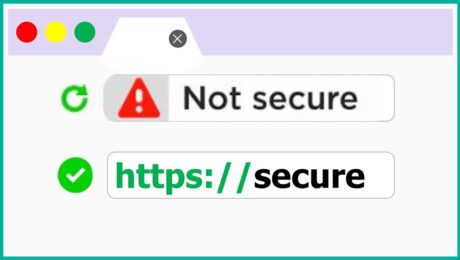
You worked hard to build your website. You spent time choosing the right design, writing your content, setting up your pages, and making everything look professional. Then one day, a visitor messages you to say that your website is showing a “Not Secure” warning in their browser. Or maybe you noticed it yourself, a small but alarming label sitting right next to your website address at the top of the screen.
That little warning carries a lot of weight. For most visitors, seeing “Not Secure” next to a website address is enough to make them close the tab immediately. It signals danger, distrust, and unprofessionalism, even if your website is perfectly safe and well-intentioned. And in today’s online environment, where customers are more aware of digital security than ever before, a “Not Secure” warning is not something you can afford to ignore or put off fixing.
(more…)- Published in Tips & Tricks
SSL Certificates Explained: Why Every Website Needs One in 2026
There is a small padlock icon sitting in the top left corner of your browser right now. Most people scroll past it without a second thought. But that tiny symbol is one of the most important trust signals on the entire internet, and the technology behind it is something every website owner needs to understand in 2026.
Whether you run a full-scale e-commerce store, a small business website, a personal blog, or a portfolio page, the conversation about SSL certificates applies to you. Not having one is no longer just a technical oversight. It is a credibility problem, a security risk, and in many cases, an SEO disadvantage that is actively costing you visitors and business.
(more…)- Published in Tips & Tricks