There is a small padlock icon sitting in the top left corner of your browser right now. Most people scroll past it without a second thought. But that tiny symbol is one of the most important trust signals on the entire internet, and the technology behind it is something every website owner needs to understand in 2026.
Whether you run a full-scale e-commerce store, a small business website, a personal blog, or a portfolio page, the conversation about SSL certificates applies to you. Not having one is no longer just a technical oversight. It is a credibility problem, a security risk, and in many cases, an SEO disadvantage that is actively costing you visitors and business.
This post is going to explain what SSL certificates actually are, how they work in plain language, why they matter more than ever in 2026, and what happens to websites that still do not have one.
What Is an SSL Certificate?
An SSL certificate is a digital security credential that is installed on a web server to establish an encrypted, secure connection between that server and the visitor’s browser. The abbreviation SSL stands for Secure Sockets Layer, which was the original technology behind this kind of encryption. Today, the actual technology being used is called TLS, which stands for Transport Layer Security. TLS is a more modern and more secure version of SSL, but the term SSL has stuck around in everyday conversation and the industry still widely uses it.
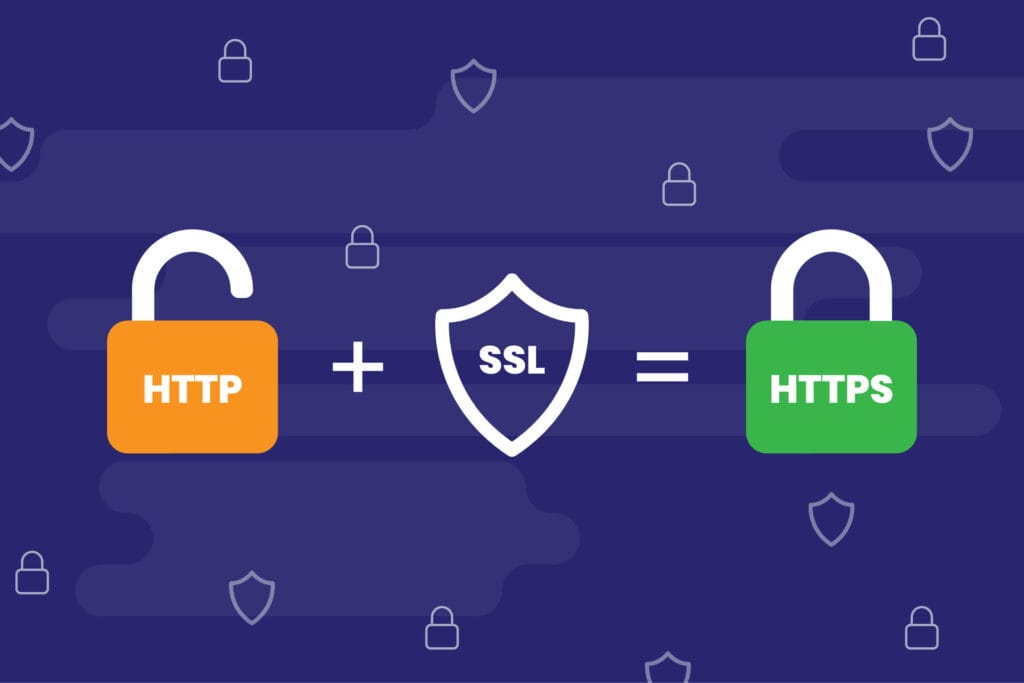
When an SSL certificate is installed on a website, a few things happen that are immediately visible to visitors. The website address changes from HTTP to HTTPS, with the “S” standing for “secure.” A padlock icon appears in the browser’s address bar. And in some cases, particularly with premium certificates, the browser may display additional trust indicators like a green bar or the organization’s verified name.
Think of an SSL certificate like a sealed envelope. When you send a letter in an open envelope, anyone who handles it along the way can read what is inside. When you seal it, only the intended recipient can open it and read the contents. An SSL certificate does the same thing for data traveling between your website and your visitors. It seals the information so that only the two intended parties can read it.
How Does SSL Actually Work?
Understanding how SSL works does not require a computer science degree. The core concept is actually quite straightforward once you break it down.
When a visitor lands on your website, their browser and your server go through a quick process called the SSL handshake. During this handshake, the browser asks your server to identify itself. Your server responds by presenting its SSL certificate, which contains a public key and information about who issued the certificate and to whom it was issued.
The browser then verifies that the certificate is valid, has not expired, and was issued by a trusted Certificate Authority (CA). If everything checks out, the browser and server use the public key to establish a shared encryption key that will be used to scramble all data exchanged during the session. This entire process happens in milliseconds and is completely invisible to the visitor.
Once the SSL handshake is complete, all data flowing between the visitor and the server is encrypted. This means that even if someone manages to intercept that data while it is traveling across the internet, all they will see is a jumbled, unreadable stream of characters. Without the correct decryption key, the intercepted data is completely useless.
What Happens Without an SSL Certificate?
In 2026, visiting a website without an SSL certificate is an experience that browsers make very difficult to ignore. Google Chrome, Mozilla Firefox, Microsoft Edge, and virtually every other major browser will display a prominent “Not Secure” warning in the address bar when a visitor lands on an unencrypted website.
For most visitors, that warning is an immediate red flag. Research has consistently shown that a large percentage of internet users will leave a website immediately upon seeing a security warning, and very few of them ever come back. In the age of rising cybersecurity awareness, people are more cautious about where they enter their information online than they have ever been before.
Beyond visitor behavior, websites without SSL certificates are also penalized by search engines. Google has been using HTTPS as a ranking signal since 2014, and that signal has only grown stronger over the years. In 2026, a website running on plain HTTP is at a measurable disadvantage in search engine results pages compared to its secured competitors. That disadvantage compounds over time as more and more websites adopt SSL and the gap between secure and insecure sites widens in the eyes of search algorithms.
And then there is the legal and regulatory angle. In many jurisdictions, collecting personal information from website visitors without proper encryption can put you in violation of data protection laws like GDPR in Europe or PDPA in Southeast Asia. Non-compliance with these regulations can result in significant fines and legal consequences that far outweigh the cost of simply installing an SSL certificate.
The Different Types of SSL Certificates
Not all SSL certificates are the same. There are several different types, and understanding the differences will help you choose the right one for your specific website and business needs.
Domain Validated (DV) SSL is the most basic type of SSL certificate. To get one, you simply need to prove that you own or control the domain name you are requesting the certificate for. The verification process is usually automated and can be completed in minutes. DV certificates provide the same level of encryption as more expensive options, but they do not include any verification of the business or organization behind the website. They are best suited for personal blogs, small informational websites, and internal tools where the primary goal is encryption rather than establishing business trust.
Organization Validated (OV) SSL takes the verification process a step further. In addition to confirming domain ownership, the issuing Certificate Authority also verifies that the requesting organization is a legitimate, registered business. This additional verification provides visitors with more confidence that the website they are interacting with belongs to a real, verified company. OV certificates are a good fit for small to medium-sized businesses, non-profit organizations, and any website that collects user information through forms or account registrations.
Extended Validation (EV) SSL is the highest level of SSL certificate available. The validation process for an EV certificate is the most thorough of all three types. The Certificate Authority conducts a detailed investigation of the applying organization, verifying its legal identity, physical address, operational status, and authorization to use the domain. In some browsers, websites with EV certificates may display additional trust indicators. EV certificates are most commonly used by financial institutions, large e-commerce platforms, healthcare providers, and any organization where establishing the highest possible level of trust with visitors is critical.
Wildcard SSL is a type of certificate that covers a domain and all of its subdomains under a single certificate. For example, a Wildcard SSL for yourbusiness.com would also cover shop.yourbusiness.com, blog.yourbusiness.com, and app.yourbusiness.com. This is a cost-effective solution for businesses that operate multiple subdomains and do not want to purchase and manage separate certificates for each one.
Multi-Domain SSL, also known as a SAN (Subject Alternative Names) certificate, allows a single certificate to secure multiple completely different domain names. A business that operates several separate websites can use a Multi-Domain SSL to cover all of them under one certificate, simplifying management and reducing overall cost.
Free SSL vs. Paid SSL: Which One Do You Need?
One of the most common questions website owners ask when learning about SSL certificates is whether free certificates are good enough or whether they need to pay for a premium option. The answer, as with most things in web hosting, depends on what your website is for.
Let’s Encrypt is the most widely known provider of free SSL certificates. It is a non-profit Certificate Authority backed by major technology companies including Google, Mozilla, and the Electronic Frontier Foundation. Let’s Encrypt issues Domain Validated (DV) certificates at no cost, and they are trusted by all major browsers. For the vast majority of personal websites, blogs, portfolios, and small business informational sites, a Let’s Encrypt certificate provides everything you need.
Most reputable hosting providers include a free Let’s Encrypt SSL certificate as part of their hosting plans and handle the installation and auto-renewal process automatically. This means you do not have to do anything to get basic SSL protection. It is simply there, working in the background, keeping your visitors safe.
Paid SSL certificates become relevant when you need a higher level of validation, a longer validity period, stronger warranty coverage, or specific features like Wildcard or Multi-Domain coverage. Many paid certificates also come with a SSL warranty, which is a financial guarantee that the certificate provider will compensate you up to a specified amount if a breach occurs due to a fault in the certificate itself.
For e-commerce websites, businesses in regulated industries, and organizations that handle sensitive financial or health data, investing in a paid OV or EV certificate is a worthwhile decision that communicates professionalism and builds visitor trust beyond what a free certificate alone can achieve.
SSL and SEO: A Relationship That Keeps Getting Stronger
Google has been vocal about its commitment to making the web more secure, and SSL certificates are a central part of that commitment. Since 2014, HTTPS has been an official Google ranking factor, and its weight in the ranking algorithm has increased steadily over the years.
In 2026, the relationship between SSL and SEO performance is stronger than ever. Websites running on HTTPS have a clear advantage over their unencrypted counterparts in search engine results pages. When two websites are closely matched in content quality and relevance, the one with SSL will consistently outrank the one without it.
Beyond the direct ranking signal, SSL also contributes to SEO indirectly through its impact on user behavior. A website that displays a security warning sends visitors running, which increases your bounce rate and decreases your average session duration. Both of those are behavioral signals that search engines use to evaluate the quality and relevance of a website. A high bounce rate tells Google that visitors are not finding what they need on your site, which can lead to ranking drops over time.
Conversely, a secure, fast-loading website that visitors trust and engage with sends positive behavioral signals to search engines, reinforcing your rankings and helping you climb higher in the results over time.
SSL Certificates and E-commerce: Non-Negotiable
If there is one category of website where having an SSL certificate is absolutely, completely, without question non-negotiable, it is e-commerce. An online store that does not have SSL is not just making a poor technical decision. It is actively destroying customer trust and opening itself up to serious legal liability.
When customers shop on your website, they are entering their payment card details, their home address, their phone number, and other highly sensitive personal information. Without SSL encryption, all of that data is transmitted in plain text across the internet, where it can be intercepted by malicious actors using techniques like man-in-the-middle attacks.
Beyond the immediate security risk, most payment processors and payment gateways will not allow you to process transactions on a website that does not have a valid SSL certificate. This means that without SSL, you literally cannot accept online payments. And as we discussed earlier, PCI DSS compliance for handling credit card data requires proper encryption, which means SSL is a legal and operational requirement, not just a nice-to-have feature.
For any e-commerce website serious about protecting its customers and its business, the minimum standard is a properly installed, always-valid SSL certificate with auto-renewal enabled so it never expires accidentally.
How to Check If Your Website Has SSL
Checking whether your website has a valid SSL certificate installed is one of the easiest things you can do, and it takes about thirty seconds.
Open your website in any browser and look at the address bar. If your website address starts with https:// and there is a padlock icon visible, your SSL certificate is installed and active. If the address starts with http:// without the “S,” or if you see a “Not Secure” warning, your website does not have SSL or there is a problem with your certificate.
For a more detailed analysis of your SSL certificate, you can use free tools like SSL Labs’ SSL Server Test at ssllabs.com. This tool gives you a letter grade for your SSL configuration along with detailed information about your certificate’s validity period, the encryption protocols being used, and any potential vulnerabilities in your SSL setup. A grade of A or A+ means your SSL configuration is excellent. Anything lower suggests areas that need attention.
It is also worth checking your SSL expiration date regularly. SSL certificates have a validity period that is typically capped at 397 days (just over 13 months) by major browsers and certificate authorities. When a certificate expires, your website will immediately start showing security warnings to visitors as if it had no SSL at all. Setting up auto-renewal through your hosting provider or certificate issuer is the simplest way to make sure this never happens.
Installing an SSL Certificate: Easier Than You Think
Many website owners hear the phrase “installing an SSL certificate” and picture a complex technical process that requires a developer. In reality, installing SSL has become remarkably simple in 2026, thanks to the widespread adoption of automated certificate management tools.
If your hosting provider includes a free Let’s Encrypt certificate with your plan, the installation is likely already done for you. Log into your hosting control panel, look for an SSL section, and check whether HTTPS is already active for your domain. Many providers activate it automatically when you add your domain to the account.
If you need to install a certificate manually, most cPanel-based hosting accounts include a tool called AutoSSL or a Let’s Encrypt integration that installs and renews your certificate with just a few clicks. For paid certificates, your certificate provider will give you certificate files that you upload through your hosting control panel or install via command line if you have a VPS or dedicated server.
After installing your SSL certificate, you need to make sure your website is configured to always use HTTPS. This typically involves setting up a 301 redirect from HTTP to HTTPS in your website’s configuration file or through your CMS settings. Without this redirect, some visitors might still access your website over the insecure HTTP connection even though HTTPS is available.
Common SSL Problems and How to Fix Them
Even after installing an SSL certificate, some website owners encounter issues that prevent the certificate from working correctly. Knowing the most common problems and how to address them will save you a lot of troubleshooting time.
The mixed content warning is one of the most frequently encountered SSL issues. This happens when your website has switched to HTTPS but some of the resources on your pages, such as images, scripts, or stylesheets, are still being loaded over plain HTTP. When this happens, the browser flags the page as having mixed content and may partially or fully remove the padlock icon. The fix involves finding and updating all resource links that still use HTTP to use HTTPS instead. On WordPress, plugins like Really Simple SSL can automate this process for you.
An expired certificate is another common issue that catches website owners off guard. If your SSL certificate expires and is not renewed in time, visitors will see a full-screen security warning when they try to access your site, which is far more alarming than a simple “Not Secure” label. Enabling auto-renewal and setting up email alerts for certificate expiration are the best defenses against this problem.
A certificate name mismatch error occurs when the domain name the certificate is issued for does not match the domain name a visitor is trying to access. For example, if your certificate is issued for but a visitor types in yourbusiness.com without the “www,” they might see a mismatch error. This is typically fixed by making sure your certificate covers both the www and non-www versions of your domain, or by setting up proper redirects.
The Future of SSL: Where Things Are Heading
The role of SSL certificates in web security is only going to grow more significant as we move deeper into 2026 and beyond. Several trends are shaping the future of SSL and online encryption that website owners should be aware of.
Shorter certificate validity periods are already becoming the norm. Major browsers and certificate authorities have been pushing for shorter maximum validity periods, and there is ongoing industry discussion about reducing the maximum lifespan of SSL certificates to as little as 90 days in the near future. The reasoning behind this is that shorter validity periods reduce the window during which a compromised certificate can be exploited. For website owners, this makes auto-renewal not just convenient but absolutely essential.
Automation of certificate management is becoming increasingly sophisticated. Tools like ACME protocol based certificate management are making it possible for organizations to automatically issue, renew, and revoke certificates across large numbers of domains and servers with minimal human intervention. Hosting providers are integrating these tools more deeply into their platforms, making SSL management increasingly effortless for end users.
Post-quantum cryptography is a topic that is beginning to enter the SSL conversation as the development of quantum computers advances. Current encryption methods could theoretically be broken by sufficiently powerful quantum computers in the future, and certificate authorities and browser vendors are already working on transitioning to quantum-resistant encryption algorithms to keep SSL-secured communications safe in a post-quantum world.
There Is No Good Reason Not to Have SSL in 2026
When free SSL certificates are widely available, most hosting providers install them automatically, and the consequences of not having one include lost traffic, security warnings, SEO penalties, and potential legal exposure, there is simply no justification for running a website without SSL in 2026.
It does not matter if your website is a small personal blog with ten visitors a day or a large e-commerce platform processing thousands of orders a week. The padlock icon in the address bar is one of the first things modern internet users look for when deciding whether to trust a website. It signals that you take your visitors’ security seriously, that you are operating a professional and trustworthy online presence, and that the information people share with you is being handled responsibly.
Getting SSL installed is one of the simplest, most impactful things you can do for your website today. And if your current hosting provider is not making it easy, that might be the most important sign yet that it is time to find a better one.



You must be logged in to post a comment.