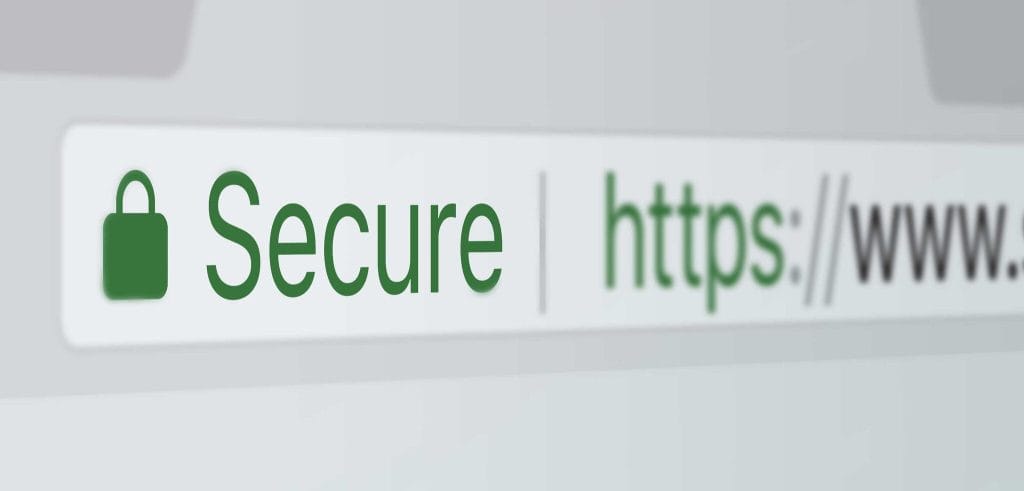
Every time you open your browser and visit a website, something extraordinary happens in the background. Before you even see the first pixel of a webpage load, your browser has already had a silent conversation with that website’s server, verified its identity, and decided whether or not it is safe to proceed. This entire process happens in milliseconds, and most people never think about it. But without it, the internet as we know it simply could not function safely.
At the heart of this invisible system is an organization type that most internet users have never heard of, yet interact with dozens of times every single day. That organization is called a Certificate Authority, and it plays one of the most important roles in keeping the internet trustworthy, secure, and functional for billions of people around the world.
This post is going to explain what Certificate Authorities are, how they work, why they matter, and what happens when they fail. By the end, you will have a clear and complete picture of one of the most important pillars of internet security.
What Is a Certificate Authority?

A Certificate Authority, commonly abbreviated as CA, is a trusted organization that issues digital certificates to websites, applications, and other online entities. Think of a Certificate Authority as the passport office of the internet.
When you apply for a passport, a government agency verifies your identity and issues you an official document that other countries and organizations recognize as proof of who you are. A Certificate Authority does essentially the same thing, but for websites. It verifies that a website is genuinely owned and operated by the entity claiming to own it, and then issues a digital certificate as official proof of that identity.
This digital certificate is what allows your browser to know that when you type www.yourbank.com into the address bar, you are actually connecting to your real bank and not to a fraudulent copy designed to steal your login details. Without Certificate Authorities, any website could claim to be any other website, and there would be no reliable way to tell the difference.
Why Does the Internet Need a Trust System?
To understand why Certificate Authorities exist, it helps to understand the problem they were created to solve.
The internet is a massive, open, and largely anonymous network. When your computer sends and receives data over the internet, that data passes through dozens of different routers, networks, and servers before reaching its destination. Any one of those points along the way could theoretically intercept, read, or even alter your data without you knowing.
This type of attack is called a Man-in-the-Middle (MITM) attack, and in the early days of the internet, it was a very real and serious threat. An attacker could position themselves between you and the website you were trying to visit, intercept everything you sent, including passwords and payment details, and even feed you a fake version of the website without you realizing anything was wrong.
The solution to this problem required two things working together. First, data needed to be encrypted so that even if it was intercepted, it would be unreadable to anyone without the right key. Second, there needed to be a reliable system for verifying that the website you were connecting to was genuinely who it claimed to be. Certificate Authorities were created to provide that second layer of protection, working alongside encryption protocols like TLS (Transport Layer Security) to make secure internet communication possible.
How Does a Certificate Authority Verify a Website?
The process through which a Certificate Authority verifies a website’s identity before issuing a certificate is called validation. There are three levels of validation, each offering a different degree of identity verification and trust.
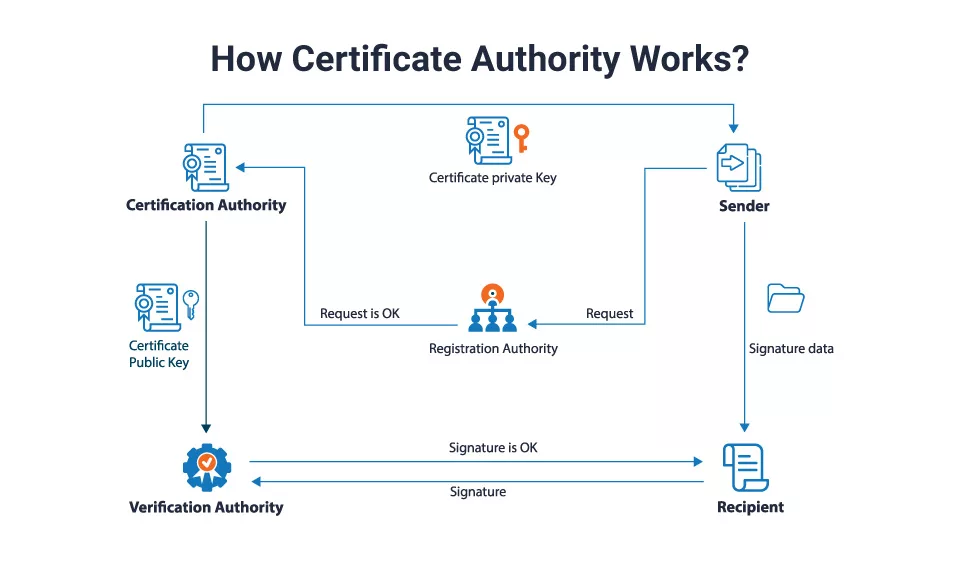
The first and most basic level is called Domain Validation (DV). At this level, the Certificate Authority simply checks that the person or organization requesting the certificate has control over the domain name in question. This is typically done by asking the requester to place a specific file on their web server or to add a specific record to their DNS settings. Domain Validation certificates are issued quickly, often within minutes, and are suitable for personal websites, blogs, and simple informational sites.
The second level is called Organization Validation (OV). At this level, the Certificate Authority goes further and verifies not just domain ownership but also the identity of the organization behind the domain. This involves checking business registration records, confirming the organization’s physical address, and verifying that the organization is legitimate and operational. OV certificates take longer to issue, typically a few days, and provide a higher level of assurance to visitors.
The third and highest level is called Extended Validation (EV). This is the most rigorous verification process, where the Certificate Authority conducts a thorough examination of the organization’s legal identity, physical existence, operational status, and authorization to use the domain. Historically, websites with EV certificates displayed a green address bar with the company’s name in the browser. While modern browsers have moved away from that visual indicator, EV certificates still represent the highest standard of identity assurance available.
What Is Inside a Digital Certificate?
A digital certificate is essentially a small data file that contains several important pieces of information tied together and signed by the issuing Certificate Authority.
Inside a digital certificate, you will find the domain name the certificate was issued for, the name of the organization that owns the domain, the name of the Certificate Authority that issued the certificate, the validity period which includes the start date and expiration date of the certificate, the website’s public key which is used in the encryption process, and the digital signature of the Certificate Authority itself.
That last item, the digital signature, is what makes the whole system work. When a Certificate Authority signs a certificate, it is essentially staking its reputation on the fact that the information inside is accurate. Your browser trusts that signature because it already has a list of trusted Certificate Authorities built into it. When your browser sees a certificate signed by one of those trusted authorities, it knows the website has been verified and it is safe to proceed.
The Chain of Trust Explained
One concept that is central to understanding how Certificate Authorities work is something called the Chain of Trust. This is a hierarchy of certificates that connects your browser’s built-in list of trusted authorities all the way down to the individual website you are visiting.
At the very top of this hierarchy are a small number of organizations called Root Certificate Authorities. These are the most trusted entities in the entire system, and their root certificates come pre-installed in your operating system and browser. Because they are so critical to the entire trust infrastructure, Root Certificate Authorities are kept extremely secure. They often store their private keys in specialized hardware kept in physically secure, air-gapped facilities.
Because Root Certificate Authorities are so valuable and their security is so important, they typically do not issue certificates directly to websites. Instead, they issue certificates to a layer of organizations called Intermediate Certificate Authorities. These intermediate authorities then use their own certificates to sign and issue certificates to individual websites.
This layered structure is the Chain of Trust. Your browser trusts the Root Certificate Authority, the Root Certificate Authority trusts the Intermediate Certificate Authority, and the Intermediate Certificate Authority has verified and vouched for the website you are visiting. That unbroken chain of vouching is what allows your browser to confidently tell you that a website is safe.
How Your Browser Validates a Certificate
When you visit a website, your browser performs a rapid but thorough series of checks to validate the site’s certificate before allowing the connection to proceed. This process is part of what is known as the TLS handshake.
Your browser first receives the website’s digital certificate and checks the digital signature to confirm it was genuinely issued by a trusted Certificate Authority. It then checks whether the certificate has expired, because certificates are only valid for a specific period of time, currently a maximum of 13 months for most certificates.
Next, your browser checks whether the certificate has been revoked. A certificate can be revoked before its expiration date if the website owner loses control of their private key, if the certificate was issued incorrectly, or if the Certificate Authority discovers that it made an error during verification. Your browser checks for revocation using a mechanism called OCSP (Online Certificate Status Protocol) or by downloading a CRL (Certificate Revocation List) maintained by the Certificate Authority.
Finally, your browser verifies that the domain name on the certificate matches the domain name of the website you are visiting. If any one of these checks fails, your browser will display a security warning and either block the connection entirely or ask you to confirm whether you want to proceed at your own risk.
Who Are the Major Certificate Authorities?
The CA ecosystem is made up of hundreds of organizations around the world, but a relatively small number of them are trusted by all major browsers and operating systems. This trusted status is not granted automatically. It requires a rigorous application process, regular security audits, and ongoing compliance with strict industry standards.
Some of the most well-known and widely trusted Certificate Authorities include DigiCert, which is one of the largest commercial CAs and issues certificates to many major enterprise websites and global organizations. Sectigo, formerly known as Comodo CA, is another major player that issues a large volume of certificates to businesses of all sizes. GlobalSign is a trusted CA that serves enterprise clients around the world. Entrust and GoDaddy are also widely recognized names in the certificate industry.
On the non-commercial side, Let’s Encrypt has become one of the most significant developments in the CA world in recent years. Let’s Encrypt is a free, automated, and open Certificate Authority that was created with the mission of making HTTPS encryption available to every website on the internet at no cost. Since its launch, it has issued billions of certificates and dramatically increased the percentage of websites using HTTPS.
The Browser Root Store and Why It Matters
A critical concept in the Certificate Authority ecosystem is something called the Browser Root Store. This is a pre-installed list of trusted Root Certificate Authorities that comes built into your web browser and operating system.
When a Certificate Authority wants its certificates to be trusted by browsers, it must apply to be included in the root store of each major browser and platform. The major root stores include those maintained by Google for the Chrome browser, Mozilla for the Firefox browser, Apple for Safari and iOS, and Microsoft for Windows and the Edge browser.
Getting included in a root store is not easy. Applicants must undergo extensive audits conducted by independent third parties, demonstrate compliance with strict security standards, and agree to ongoing monitoring and reporting requirements. This rigorous process is what makes the root store a meaningful guarantee of trustworthiness rather than just a list of names.
If a Certificate Authority loses the trust of a major browser through misconduct, negligence, or a security breach, that browser can remove the CA from its root store. This is essentially the digital equivalent of having your business license revoked, and it can be catastrophic for a Certificate Authority because it means none of the certificates they have issued will be trusted by that browser anymore.
What Happens When a Certificate Authority Fails?
The history of internet security includes several high-profile cases where Certificate Authorities made serious mistakes, were compromised by hackers, or were found to have violated the rules of the CA ecosystem. These incidents illustrate just how important Certificate Authorities are and what can go wrong when the trust system breaks down.
One of the most notorious cases involved a Dutch company called DigiNotar. In 2011, hackers broke into DigiNotar’s systems and issued hundreds of fraudulent certificates, including a certificate for Google.com. This fraudulent certificate was used in a Man-in-the-Middle attack targeting hundreds of thousands of internet users in Iran, allowing the attackers to intercept encrypted communications that users believed were secure.
Once the breach was discovered, major browsers removed DigiNotar from their root stores almost immediately. Without browser trust, DigiNotar’s certificates were worthless, and the company was forced into bankruptcy within weeks of the incident becoming public. The DigiNotar case became a landmark example of how completely and swiftly a Certificate Authority can be destroyed when it fails in its core responsibility.
Another significant case involved Symantec, once one of the largest Certificate Authorities in the world. Over several years, Google and other browser vendors discovered that Symantec had issued thousands of certificates improperly, violating the standards required to maintain root store inclusion. After an extended period of investigation and failed remediation attempts, Google announced that Chrome would stop trusting Symantec-issued certificates, which eventually led to Symantec selling its certificate business to DigiCert.
Certificate Transparency: Keeping CAs Accountable
Following several high-profile CA failures, the internet security community developed a system called Certificate Transparency (CT) to add an additional layer of accountability to the certificate issuance process.
Certificate Transparency works by requiring Certificate Authorities to log every certificate they issue to a publicly accessible, append-only log. This means that anyone can monitor these logs and check for certificates that were issued incorrectly, fraudulently, or without the knowledge of the domain owner.
If a Certificate Authority issues a certificate for your domain without your authorization, Certificate Transparency logs will show that certificate, allowing you to detect and respond to the unauthorized issuance before it is used for malicious purposes. Major browsers now require that all certificates include proof of being logged in Certificate Transparency logs before they will trust them.
This system has significantly improved the accountability of Certificate Authorities and has made it much harder for fraudulent or erroneous certificates to go undetected. It is one of the most important improvements to the CA ecosystem in recent years and represents the internet security community’s ongoing commitment to strengthening the foundations of online trust.
The Future of Certificate Authorities
The role of Certificate Authorities continues to evolve as the internet grows and as new threats emerge. One of the most significant trends in recent years has been the move toward shorter certificate lifespans. The industry has progressively reduced the maximum validity period of certificates, and there are ongoing discussions about moving to certificates that are valid for as little as 90 days or even shorter periods in the future.
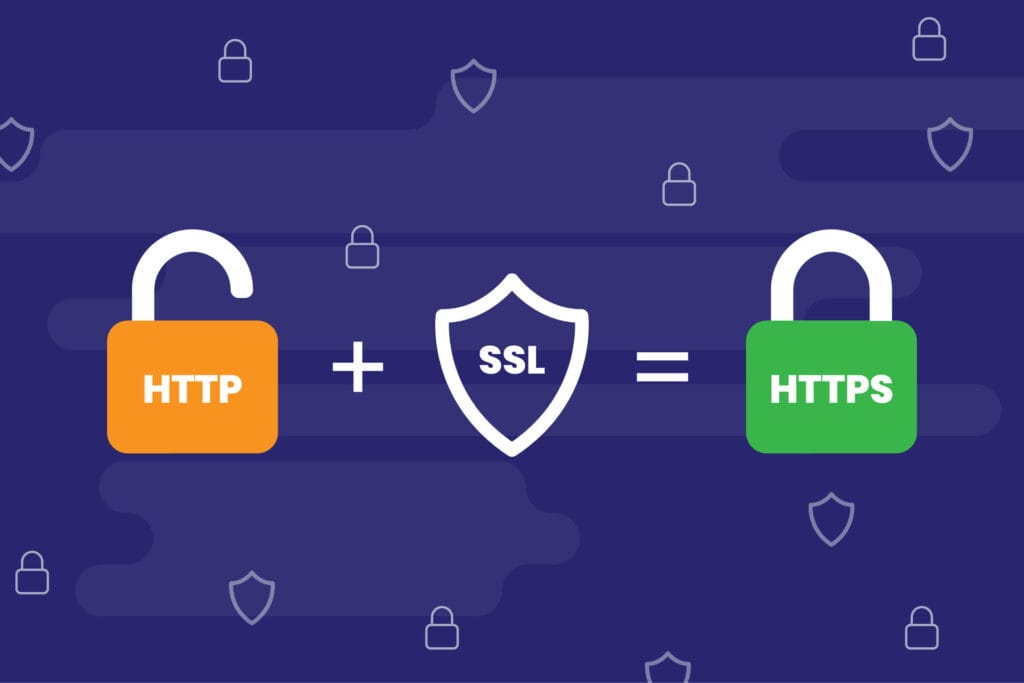
The logic behind shorter lifespans is straightforward. The shorter a certificate is valid, the smaller the window of risk if a certificate is compromised or issued incorrectly. Shorter lifespans also encourage the adoption of automated certificate management tools that renew certificates without any manual intervention, reducing the risk of certificates expiring accidentally.
Automation is another major trend shaping the future of the CA ecosystem. Protocols like ACME (Automated Certificate Management Environment), which was developed and popularized by Let’s Encrypt, allow servers to automatically request, receive, and renew certificates without any human involvement. This makes certificate management much simpler and more reliable, especially for organizations that manage large numbers of domains and subdomains.
As the internet continues to grow and as digital trust becomes increasingly important in areas like IoT (Internet of Things), email security, code signing, and document authentication, the role of Certificate Authorities will only become more significant. The organizations and systems that verify identity and issue trust online are, in many ways, the invisible backbone of the modern digital economy.
Why This All Matters to You
You might be thinking that all of this sounds very technical and not particularly relevant to your daily life online. But the truth is that Certificate Authorities affect you every single time you use the internet, whether you realize it or not.
Every time you log into your email, make an online purchase, check your bank balance, or share personal information on any website, you are relying on Certificate Authorities to ensure that the site you are communicating with is genuinely who it claims to be. The little padlock icon in your browser’s address bar is not just a decorative symbol. It is the visible result of an entire ecosystem of trust, verification, and cryptographic security that Certificate Authorities help maintain.
For website owners and businesses, understanding Certificate Authorities is even more directly important. Choosing the right SSL certificate, keeping it renewed, selecting a reputable Certificate Authority, and understanding what different validation levels mean for your customers are all decisions that affect your website’s security, your visitors’ trust, and ultimately your business’s reputation.
The internet works because of trust. And trust, on the internet, is built and maintained largely by the quiet, invisible work of Certificate Authorities operating behind every secure connection you make.



You must be logged in to post a comment.