Not long ago, running powerful artificial intelligence applications required access to a supercomputer or a massive corporate data center with millions of dollars worth of hardware. Only the biggest technology companies and the most well-funded research institutions could afford the kind of computing power that serious AI work demands. Everyone else was left on the sidelines, watching from a distance.
That reality has changed dramatically. Today, thanks to the rise of GPU dedicated servers, businesses of all sizes, independent researchers, startups, and developers around the world can access the raw computing power needed to train machine learning models, run deep learning algorithms, process massive datasets, and deploy AI-powered applications at scale. The playing field has leveled in a way that would have seemed impossible just a decade ago.
But what exactly is a GPU dedicated server, why is it so much better suited for AI work than traditional computing options, and how do you know if your business actually needs one? This post is going to answer all of those questions in plain, straightforward language.
What Is a GPU Dedicated Server?
To understand what a GPU dedicated server is, it helps to first understand the difference between a CPU and a GPU.
A CPU (Central Processing Unit) is the traditional brain of a computer. It is extremely good at handling complex tasks one at a time or in small groups. It processes instructions sequentially, which makes it perfect for everyday computing tasks like running a web server, managing databases, and executing business logic. Modern CPUs are powerful, but they are built for depth rather than width.
A GPU (Graphics Processing Unit) was originally designed to render graphics and video, which requires processing thousands of small calculations simultaneously. Unlike a CPU, which might have between 8 and 64 cores, a modern GPU can have thousands of smaller cores working in parallel at the same time. This makes GPUs extraordinarily good at handling the kind of massive parallel computations that AI and machine learning workloads demand.
A GPU dedicated server is a physical server that is entirely reserved for a single customer and is equipped with one or more high-powered GPUs alongside traditional CPU processors. You are not sharing the server with anyone else. All of the GPU power, all of the RAM, all of the storage, and all of the network resources belong exclusively to you and your workloads.
Why Traditional CPU Servers Are Not Enough for AI
For many years, businesses ran all of their computing workloads on CPU-based servers, and for most traditional tasks, that approach worked perfectly well. Web hosting, email servers, database management, and standard application hosting are all tasks that CPUs handle efficiently.
The problem is that AI and machine learning workloads are fundamentally different from traditional computing tasks. Training a neural network, for example, involves performing billions of mathematical calculations across enormous matrices of numbers, and those calculations need to happen in parallel rather than sequentially. A CPU trying to handle this kind of workload is like asking one highly skilled person to do a job that actually requires thousands of workers operating simultaneously.
The result is that training even a moderately complex AI model on a CPU-only server can take days or even weeks. The same task, run on a server equipped with modern GPUs, can be completed in hours or even minutes. That difference is not just about convenience. It is about how fast a business can iterate, experiment, test new models, and bring AI-powered products to market.
The Hardware Inside a GPU Dedicated Server
Understanding what is actually inside a GPU dedicated server helps explain why they are so powerful and why they have become the standard for serious AI work.
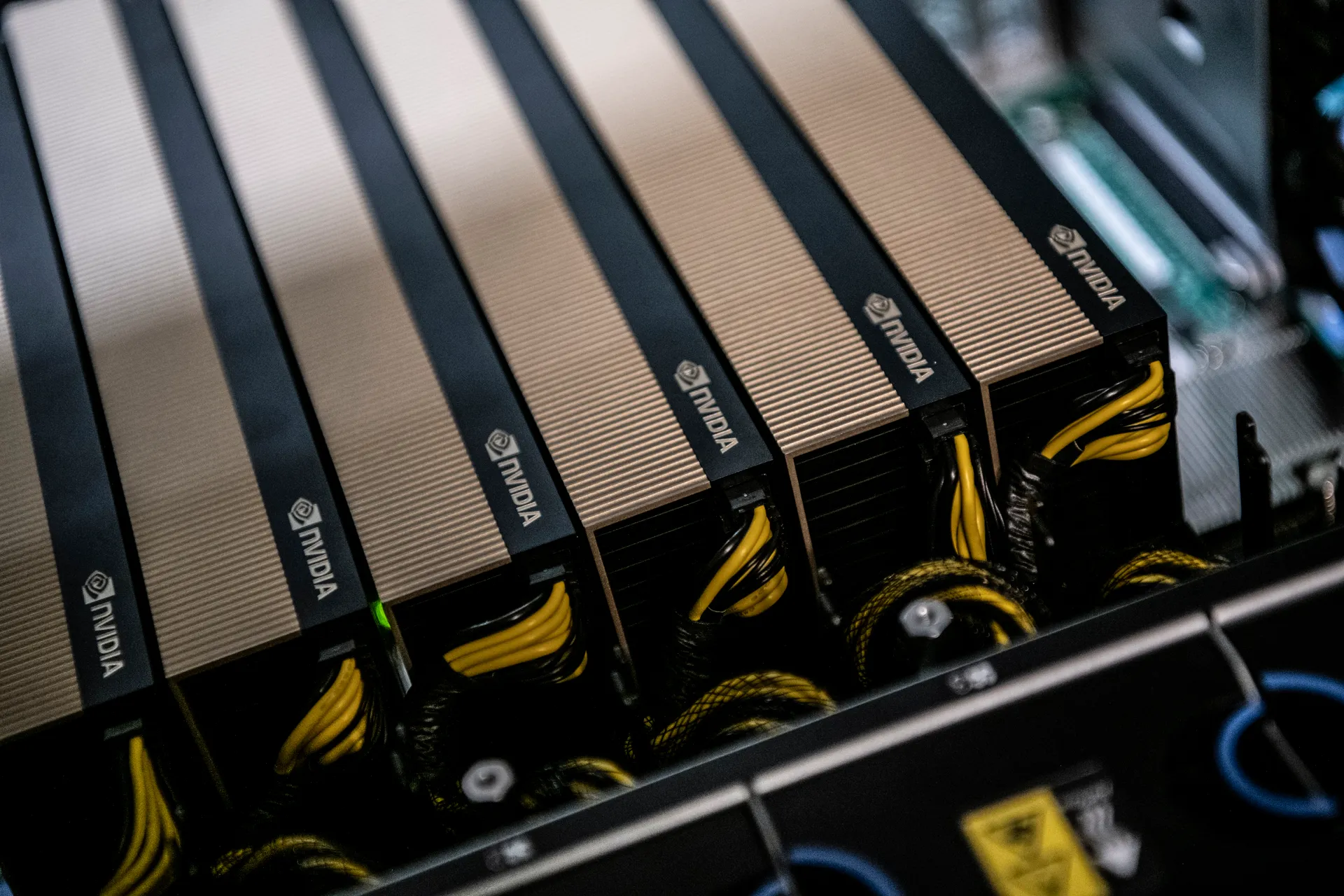
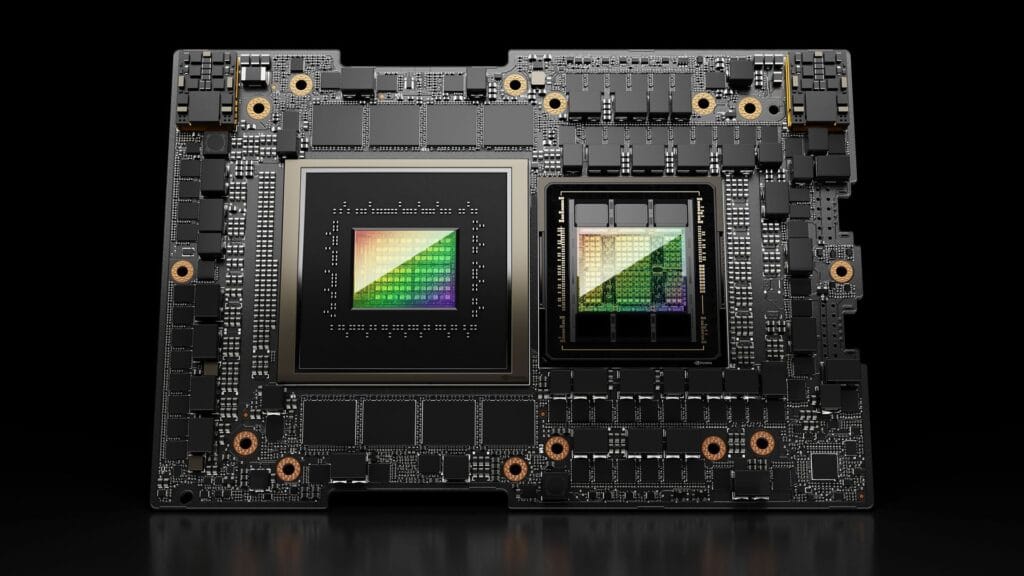
The GPUs most commonly found in AI-focused dedicated servers come from NVIDIA, which has established itself as the dominant force in the AI hardware market. The flagship offerings include the NVIDIA A100, the NVIDIA H100, and the NVIDIA RTX series, each of which is purpose-built for the kinds of parallel computation that AI and deep learning require. The H100 in particular has become the gold standard for large-scale AI model training and is the chip that powers much of the infrastructure behind today’s most advanced AI systems.
These servers are also equipped with substantial amounts of high-bandwidth memory (HBM), which allows the GPU to access and process large datasets without being held back by memory bottlenecks. Alongside the GPUs, you will find fast NVMe SSD storage for rapid data access, high-speed InfiniBand networking for connecting multiple servers together in a cluster, and large amounts of system RAM to support the full pipeline of data processing.
The combination of all these components creates a computing environment that is purpose-built for one thing: handling the most demanding AI workloads as efficiently and quickly as possible.
What Kinds of AI Workloads Run on GPU Dedicated Servers?
GPU dedicated servers are not just for one specific type of AI application. They power a remarkably wide range of workloads across many different industries and use cases.
AI model training is the most resource-intensive use case. Training a large language model (LLM) or a computer vision model requires processing enormous amounts of data through many layers of a neural network, adjusting millions or billions of parameters in the process. This is the kind of work that can take weeks on inadequate hardware but hours on a well-configured GPU server.
AI inference is the process of using an already-trained model to make predictions or generate outputs in response to new inputs. When a customer uses a chatbot, gets a product recommendation, or has a photo analyzed by an AI tool, that is inference happening in real time. While inference is less computationally intensive than training, it still benefits enormously from GPU acceleration, especially when serving thousands of simultaneous users.
Natural Language Processing (NLP) applications, which involve teaching computers to understand, interpret, and generate human language, are among the most demanding AI workloads in existence today. The large language models that power tools like AI writing assistants, translation services, and conversational AI systems require GPU servers both to train and to serve at scale.
Computer vision applications, which involve teaching AI systems to interpret and analyze visual content like images and video, are another major use case. Everything from facial recognition systems and medical imaging analysis to autonomous vehicle perception systems and retail product recognition runs on GPU-accelerated hardware.
Generative AI applications, including image generation, video synthesis, music generation, and other creative AI tools, are also deeply dependent on GPU computing power. The massive models behind tools that generate realistic images or videos from text descriptions require significant GPU resources to run efficiently.
GPU Dedicated Servers vs. Cloud GPU Instances
When businesses start exploring GPU computing options, they often face a choice between renting GPU instances from major cloud providers like Amazon Web Services (AWS), Google Cloud, or Microsoft Azure, or investing in a GPU dedicated server from a hosting provider.
Both options have their place, but they serve different needs and come with different trade-offs.
Cloud GPU instances offer tremendous flexibility. You can spin up a GPU instance in minutes, use it for a few hours, and shut it down when you are done. You only pay for the time you use, which makes cloud instances ideal for occasional, short-burst workloads or for teams that are still experimenting and do not yet know exactly what their long-term GPU needs look like.
The downside of cloud GPU instances is cost at scale. When your AI workloads become consistent and ongoing, paying by the hour on a major cloud platform adds up extremely quickly. Organizations running GPU workloads around the clock on cloud platforms often find that the cost of a dedicated GPU server from a specialized hosting provider is a fraction of what they are spending on cloud instances for the same computing capability.
GPU dedicated servers make the most sense for organizations with consistent, predictable AI workloads. When you know you are going to be using GPU computing power every day, a dedicated server gives you significantly more computing power per dollar spent, complete control over your server configuration, and the privacy and security of hardware that no one else is sharing.
The decision between cloud and dedicated really comes down to one question: how regularly are you running GPU workloads? If it is occasional, cloud instances are more economical. If it is constant or near-constant, a dedicated GPU server almost always makes more financial sense.
The Role of CUDA and AI Software Frameworks
Hardware alone does not make a GPU dedicated server useful for AI. The software layer that sits between the hardware and the AI applications is equally important, and understanding it helps explain why NVIDIA has such a dominant position in the AI computing market.
CUDA (Compute Unified Device Architecture) is a parallel computing platform and programming model developed by NVIDIA that allows software to directly access and harness the GPU’s parallel processing capabilities. Almost every major AI framework and machine learning library is built on top of CUDA, which means that the entire AI software ecosystem is deeply intertwined with NVIDIA’s hardware.
TensorFlow, developed by Google, is one of the most widely used open-source machine learning frameworks in the world. It supports GPU acceleration through CUDA and is used to build and train everything from simple predictive models to complex deep learning systems.
PyTorch, developed by Meta and now maintained by the open-source community, has become the preferred framework for many AI researchers and developers due to its flexibility and intuitive design. Like TensorFlow, it runs on NVIDIA GPUs through CUDA and has become the dominant choice for cutting-edge AI research.
cuDNN (CUDA Deep Neural Network library) is a GPU-accelerated library specifically optimized for deep learning operations. Most major AI frameworks use cuDNN under the hood to get maximum performance from NVIDIA GPUs when training and running neural networks.
When you rent a GPU dedicated server from a quality hosting provider, these software components are often pre-installed and pre-configured, allowing you to get started with your AI workloads immediately without having to spend time on complex software setup.
GPU Dedicated Servers Are Powering Real Business Applications
It is easy to think of GPU servers as tools for academic researchers or Silicon Valley tech giants. But the reality is that GPU dedicated servers are quietly powering real, practical business applications across a wide range of industries right now.
In healthcare, GPU servers are being used to train AI models that can detect cancer in medical scans with accuracy that rivals or exceeds human specialists. Hospitals and medical research institutions are using GPU-accelerated computing to analyze patient data, predict treatment outcomes, and accelerate drug discovery.
In financial services, banks and investment firms are using GPU-powered AI to detect fraudulent transactions in real time, model complex financial risks, and develop algorithmic trading systems that can respond to market changes in milliseconds.
In e-commerce and retail, companies are using GPU servers to train the recommendation engines that suggest products to customers, analyze purchasing patterns, and power visual search tools that let shoppers find products by uploading a photo.
In manufacturing, GPU-accelerated AI is being used for predictive maintenance systems that can identify when a piece of equipment is likely to fail before it actually does, saving companies enormous amounts of money in unplanned downtime and repair costs.
In media and entertainment, production companies and streaming platforms are using GPU servers to power AI-driven video enhancement tools, content recommendation systems, and even AI-generated visual effects.
The common thread across all of these applications is that they require enormous amounts of parallel computation that only GPU-powered infrastructure can deliver efficiently and cost-effectively.
What to Look For When Choosing a GPU Dedicated Server Provider
Not all GPU dedicated server providers are created equal, and choosing the right one for your AI workloads requires careful evaluation of several key factors.
The type and generation of GPU offered is the most obvious starting point. Older GPU models like the NVIDIA V100 are still capable for many workloads, but newer models like the A100 and H100 offer significantly better performance for modern AI tasks. Make sure the provider offers hardware that is current enough to meet your needs.
Memory capacity is critical for AI workloads. Larger AI models require more GPU memory (VRAM) to load and process. If your model requires more VRAM than your GPU has available, you will run into out-of-memory errors that prevent training from completing. Look for servers that offer GPUs with at least 40GB or 80GB of VRAM for serious AI model training tasks.
Network bandwidth and latency matter enormously when training AI models across multiple GPUs or multiple servers simultaneously. Look for providers that offer high-speed networking options like InfiniBand or 100GbE Ethernet to ensure that your multi-GPU training jobs are not bottlenecked by slow data transfer between machines.
Storage performance is another important consideration. AI training involves reading massive datasets repeatedly, and slow storage can become a significant bottleneck even when your GPU is fast. Look for providers that offer NVMe SSD storage with high read and write speeds to keep your data pipeline moving at the speed your GPUs demand.
Operating system and software support is worth checking carefully. Make sure your provider supports the Linux distributions and software environments your AI team relies on, including the specific versions of CUDA, TensorFlow, and PyTorch that your projects require.
Finally, look at the provider’s support quality and infrastructure reliability. When a GPU server goes down in the middle of a multi-day model training run, every hour of downtime is wasted GPU time and wasted money. Choose a provider with proven uptime reliability, responsive technical support, and a clear process for handling hardware failures.
The Cost of GPU Dedicated Servers and How to Think About It
GPU dedicated servers are more expensive than standard hosting plans, and that is simply a reflection of the cost of the specialized hardware inside them. High-end GPUs like the NVIDIA H100 cost tens of thousands of dollars per unit, and a server equipped with multiple H100s represents a significant hardware investment that is reflected in the monthly rental price.
However, the right way to think about the cost of a GPU dedicated server is not as an isolated expense but as an investment relative to the value it creates. For a business that is using AI to drive revenue, cut operational costs, or build competitive advantage, the return on that investment can be substantial.
It is also worth comparing the cost of a dedicated GPU server against the alternative of running the same workloads on on-demand cloud GPU instances. For consistent, ongoing AI workloads, the cost savings of a dedicated server over cloud instances can be dramatic, often reaching 50% to 70% over a one-year period.
Some providers also offer reserved pricing models where you commit to a server for a longer term, typically six months to a year, in exchange for a significantly lower monthly rate. If your AI workloads are well-established and you have a clear picture of your long-term needs, a reserved server can deliver excellent value.
The Future of AI Infrastructure Is GPU-First
The demand for GPU computing power is not slowing down. If anything, it is accelerating. As AI models become more sophisticated and more deeply integrated into business operations, the need for high-performance GPU infrastructure is going to continue growing at a remarkable pace.
New GPU architectures are being developed and released on an increasingly rapid cycle. NVIDIA’s Blackwell architecture, which powers the latest generation of AI-focused GPUs, represents another major leap forward in performance and efficiency. Open-source AI research is producing increasingly powerful models that push the boundaries of what current hardware can do, creating a constant pull toward more and better GPU resources.
For businesses that are serious about leveraging AI as a competitive tool, getting comfortable with GPU infrastructure now is not just a smart technical decision. It is a strategic business decision. The organizations that build their AI capabilities on solid, purpose-built infrastructure today will be the ones best positioned to move fast, innovate quickly, and lead their industries tomorrow.
Is a GPU Dedicated Server Right for You?
If you are reading this and wondering whether your business actually needs a GPU dedicated server, here is a simple way to think about it.
If you are running AI workloads occasionally or are still in the early experimentation phase, starting with cloud GPU instances makes sense. The flexibility and low commitment are valuable when you are still figuring out your needs.
If your AI workloads are becoming consistent, your model training jobs are taking too long, your cloud GPU bills are growing uncomfortably large, or you need more control and privacy over your computing environment, a GPU dedicated server is almost certainly the right next step.
The barrier to entry is lower than most people expect. Many GPU dedicated server providers offer flexible monthly contracts, knowledgeable technical support, and pre-configured software environments that make getting started much faster and easier than building your own GPU infrastructure from the ground up.
AI is no longer the future. It is the present. And the businesses that invest in the right infrastructure to power their AI ambitions are the ones that are going to define what comes next.



You must be logged in to post a comment.